


Skip to content

Colour your videos like a film.

Editelier is a free video and photo editor for Windows. Cut your clips, add titles and music, pick one of twelve looks, export.

  • Free
  • Runs on your PC
  • No account
  • No watermark
  • No uploads

Version 0.2.0 test build for Windows 10 and 11 (64-bit).

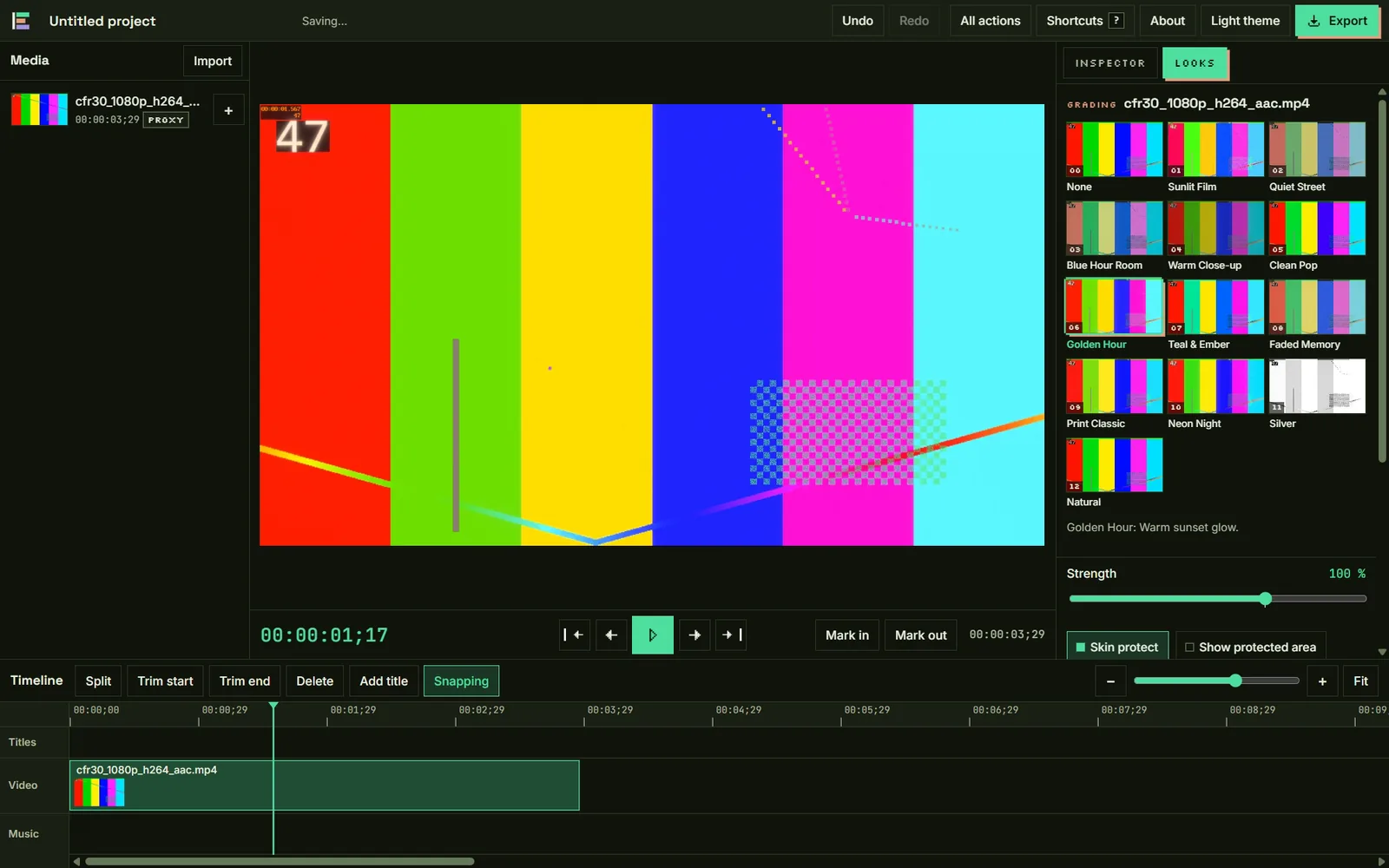
The Editelier editor with a test clip on the timeline and the Golden Hour look applied from the Looks panel.

Twelve looks, one tap each

Each look sets light, colour and a film layer (halation, bloom, grain and vignette) in one go. Slide its strength from a hint to 150 %. Skin protect, on by default, keeps faces natural while the rest of the frame changes.

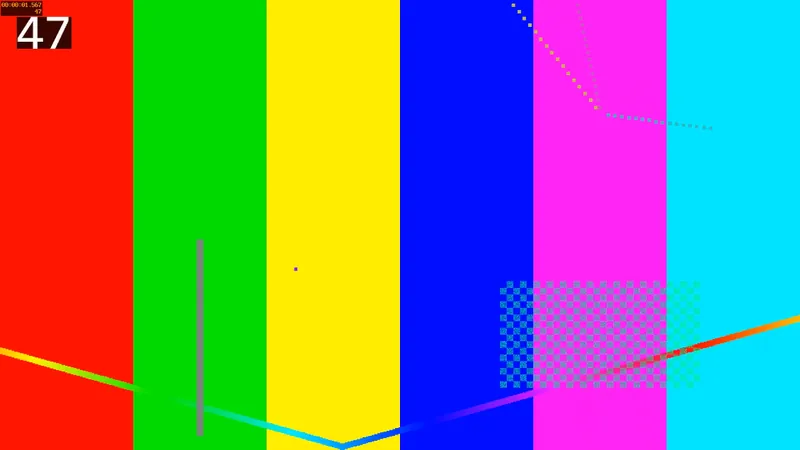
Test pattern with the Golden Hour look

Pick a look

Golden Hour: Warm sunset glow.

Real frames rendered by Editelier 0.2.0 from a synthetic test pattern, at 100 % strength. Your footage will look its own way.

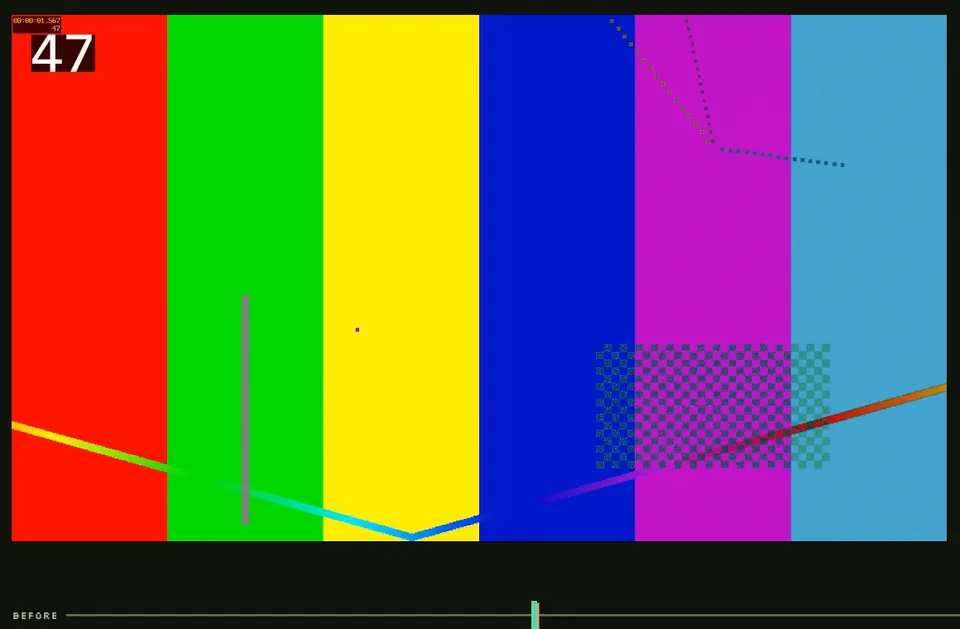
Split view in the Editelier viewer: the original frame on the left, the graded frame on the right, with a drag handle under the picture.

See the original any time

  • Hold \ to see the original, or drag the split line across the picture.
  • Auto fixes exposure and white balance in one click. Light, Warmth and Tint sliders do the rest.
  • Copy a grade with Ctrl+Alt+C and paste it on other clips with Ctrl+Alt+V, apply it to every clip, or set one look for the whole project.

What's inside

  • Cut, titles, music, export

    Trim and split clips on a timeline, add titles and a music track, then export for YouTube, Shorts, Reels or TikTok. Familiar keyboard layouts if you're coming from another editor.

  • Looks and colour

    Twelve built-in looks with live previews of your own frame, a strength slider, skin protect, and Light, Warmth, Tint and Auto for quick fixes.

  • HDR and Apple Log

    iPhone HDR (HLG), PQ and Apple Log clips are converted properly before a look goes on, so they don't come out grey or blown out.

  • Private by design

    Your videos and photos never leave your PC. No account, no telemetry, no ads, and the app makes no network connections on its own. Privacy policy

Install

Pick one. Both files are on the latest release, with SHA-256 checksums in SHA256SUMS.txt.

Portable ZIP Easiest

  1. Download Editelier-0.2.0-portable-x64.zip.
  2. Unzip it anywhere and run editelier.exe.
  3. If SmartScreen warns you, choose More info, then Run anyway. The test build isn't code-signed yet.

Needs the WebView2 runtime, which comes with Windows 11.

MSIX package Test-signed

  1. Download editelier-dev-test-cert.cer.
  2. Open PowerShell as administrator and run:
    Import-Certificate -FilePath "$HOME\Downloads\editelier-dev-test-cert.cer" -CertStoreLocation Cert:\LocalMachine\TrustedPeople
  3. Double-click Editelier_0.2.0.0_x64.msix and choose Install (or Update).

System requirements

  • Windows 10 or Windows 11, 64-bit (x64)
  • WebView2 runtime (built into Windows 11)
  • For phone video (HEVC): Microsoft's HEVC Video Extensions from the Microsoft Store

Questions

Is it really free?

Yes. No price, no subscription, no ads and no watermark on your exports. The source code is MIT licensed on GitHub.

Windows SmartScreen says the app isn't recognised. Is it safe?

The 0.2.0 test build isn't code-signed yet, so SmartScreen doesn't know it. Choose More info, then Run anyway. To be sure the file is ours, compare its SHA-256 with SHA256SUMS.txt on the release page (Get-FileHash in PowerShell shows it).

My phone videos won't import.

Most phones record HEVC (H.265). Editelier decodes it through Windows, which needs Microsoft's HEVC Video Extensions from the Microsoft Store. H.264 video works out of the box.

Why does the MSIX need a certificate?

Windows only installs MSIX packages from a publisher it trusts. The test build is signed with our own test certificate, so you add it to Trusted People first. If that's more than you want, use the portable ZIP instead.

Does anything get uploaded?

No. Editing, previews and exports all happen on your PC, and the app makes no network connections on its own. See the privacy policy.

Is there a Mac or Linux version?

No, Editelier is Windows only.